
Papertrail — Checklist Manager
Some of Papertrail’s customers kept their equipment records in Papertrail and ran their inspections in a separate app, uploading the PDFs by hand, because the checklist editor couldn’t act on an answer. We rebuilt checklists so that an answer can trigger the next question, a task, or a change to the record.
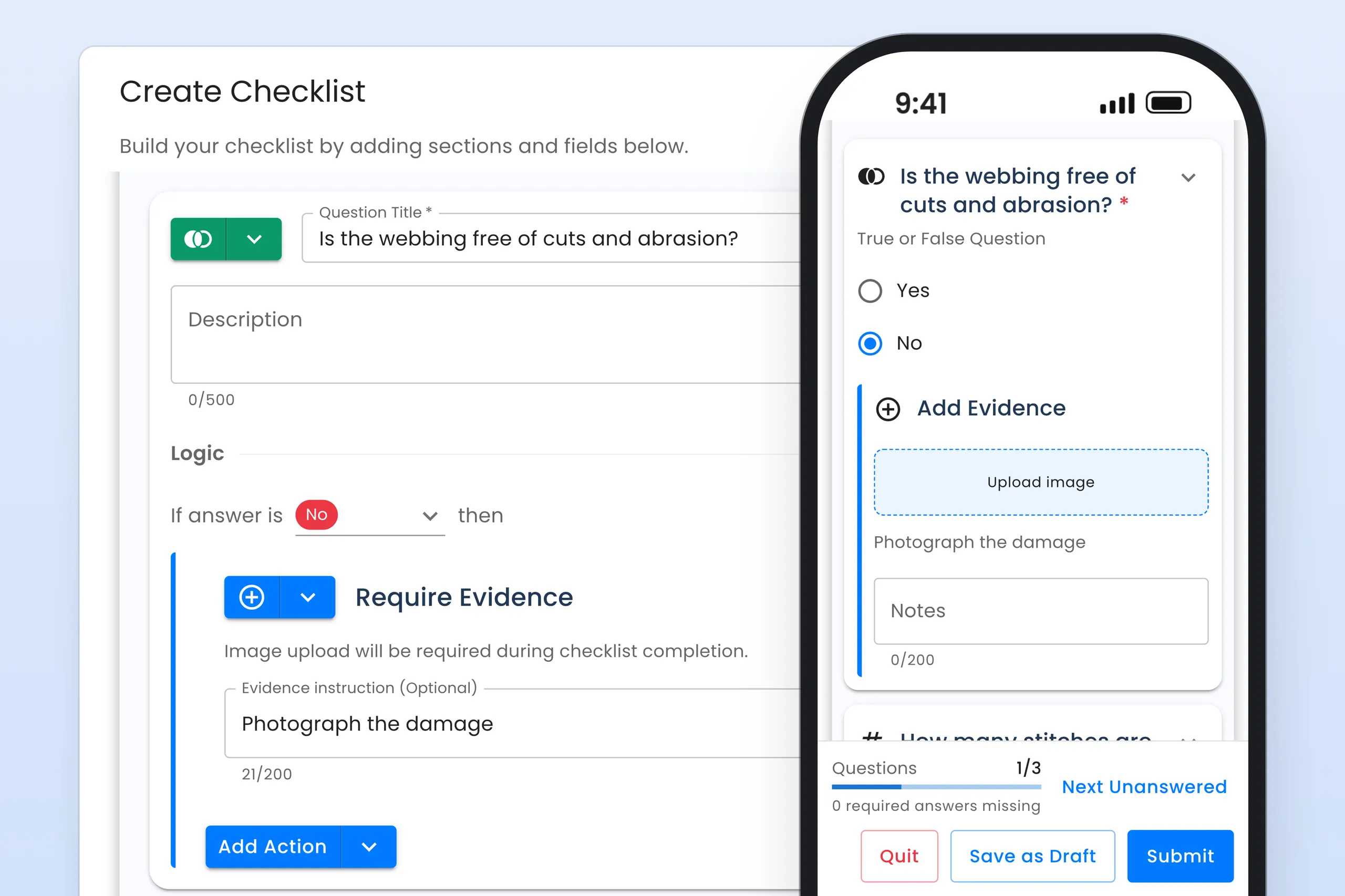
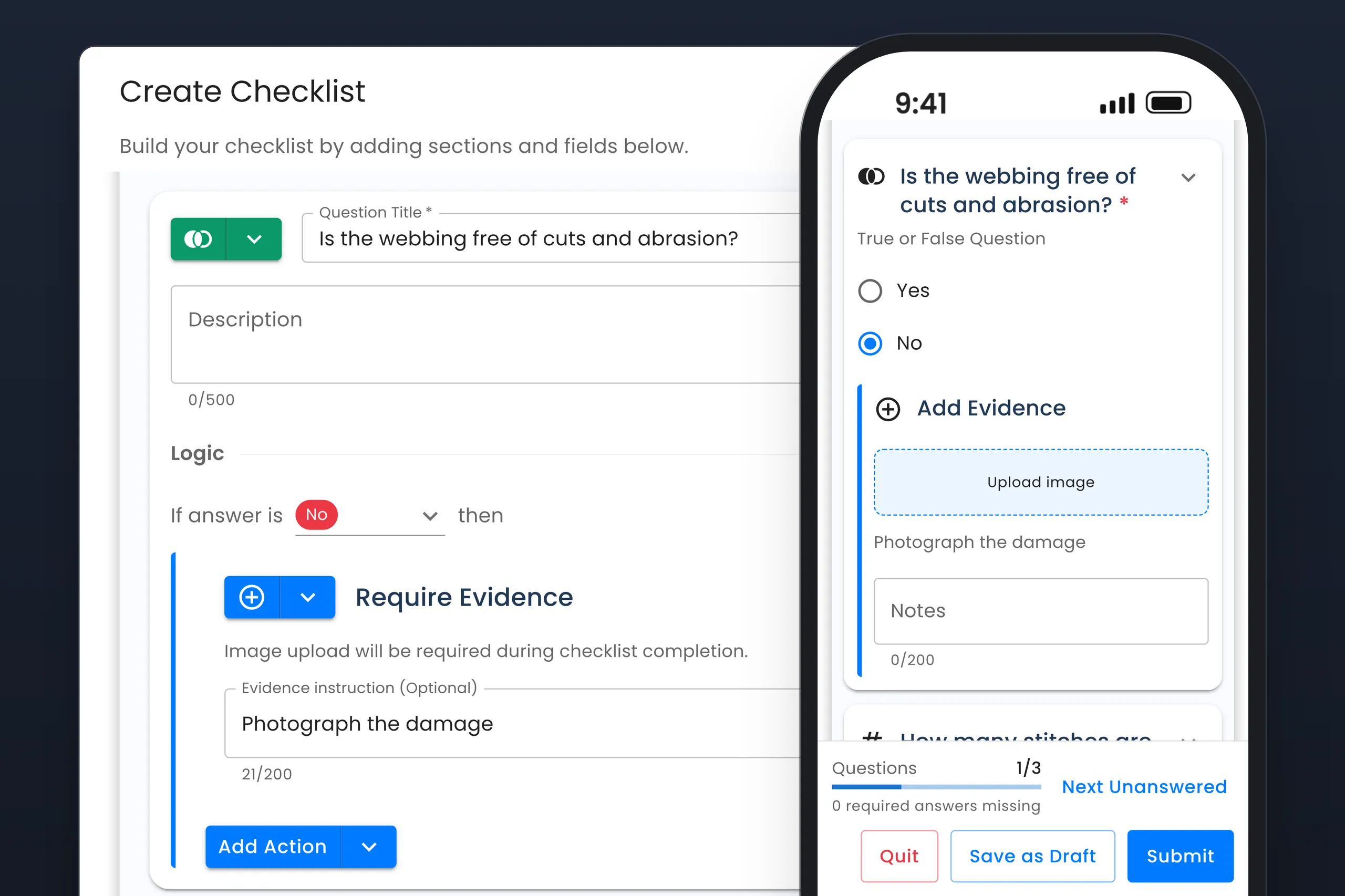
Rebuilding Papertrail’s Checklist Builder
A checklist is the heart of every inspection Papertrail records. The old checklists had typed fields but no conditional triggers, so nothing connected an answer to the next step.
We set out to rebuild checklists as a builder that anyone on a safety team could read and change.
How could we match the inspection templates our customers already trusted, before adding anything of our own?
High-Level Goals
Match the inspection templates customers already use, question for question, before adding anything new.
Let someone with no training build a checklist with logic: a question, the answer that triggers it, and what happens next.
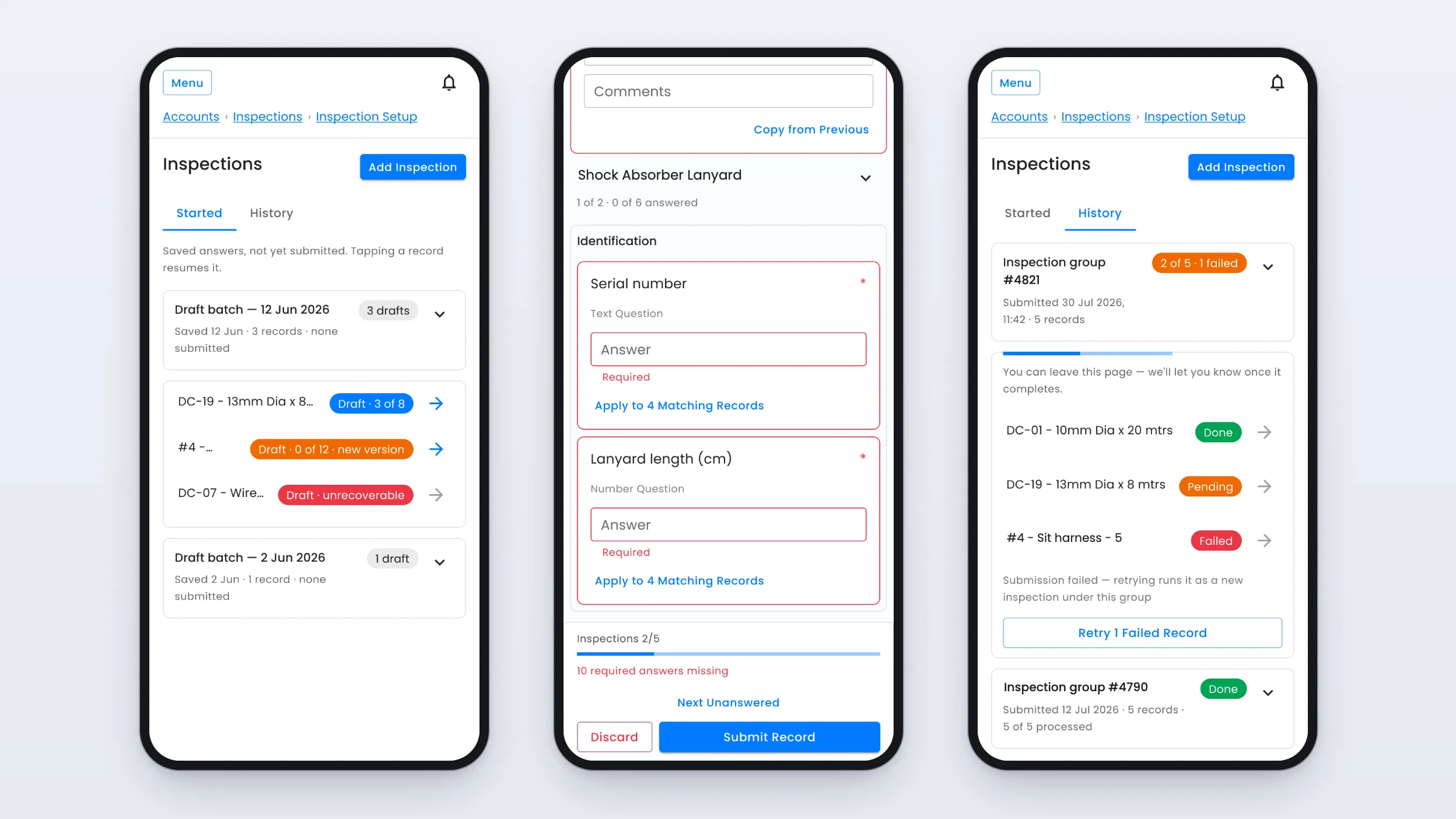
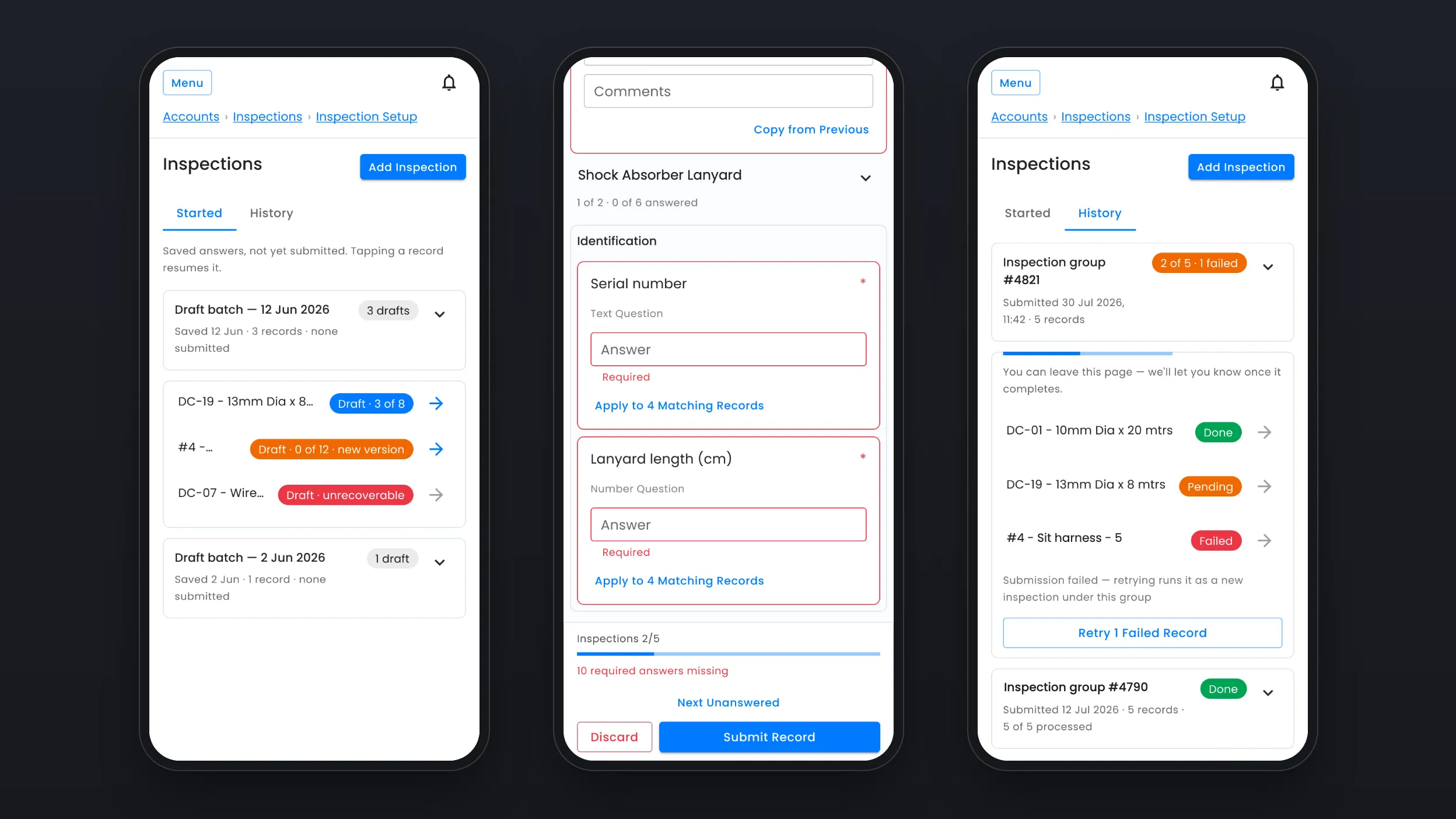
Keep an inspector moving on site, with progress, drafts, and batch inspections that survive an interruption.
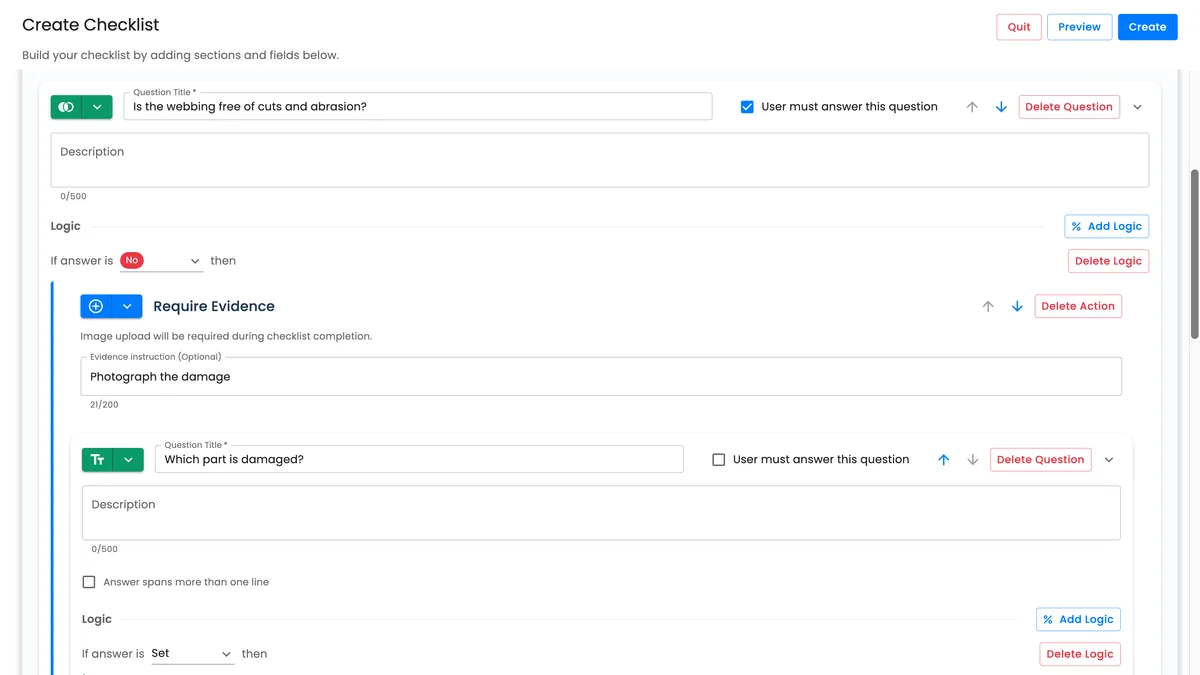
A working model of the builder, limited to three questions. Nothing is saved.
Checklists with Logic Lived in Another App
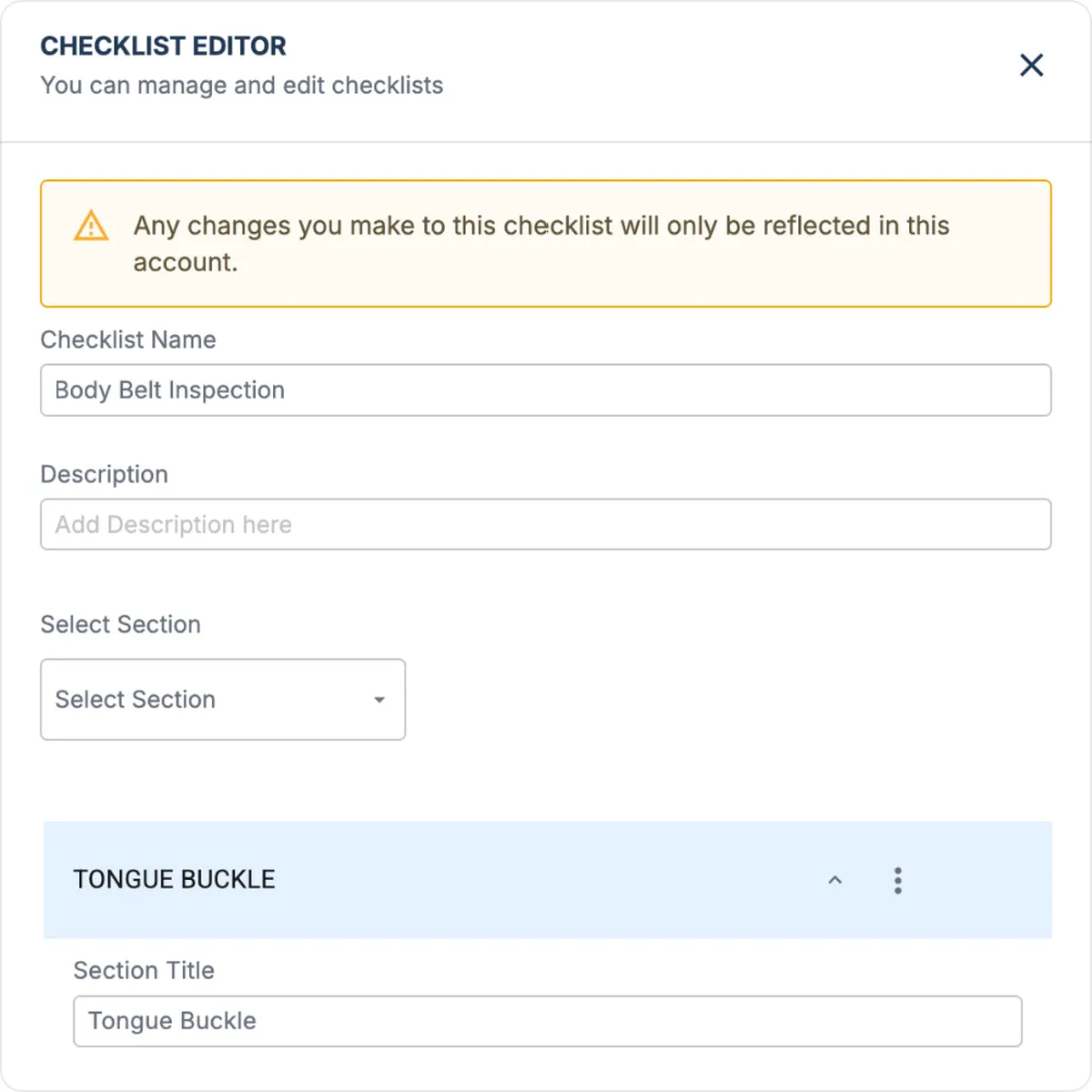
The checklist editor our customers had was a small dialog: sections with a title and a description, and no way to act on an answer.
A checklist added to an account was also a copy of a global one, so every edit began by asking whether to change the copy or the global original. Some customers ran their inspections in a third-party app and uploaded each PDF to Papertrail by hand.
Three templates, almost line for line
Parity came before invention. I took the inspection templates of three customers from the third-party app and rebuilt them in Figma almost line for line, so that every question and every rule they relied on had a place in our builder.
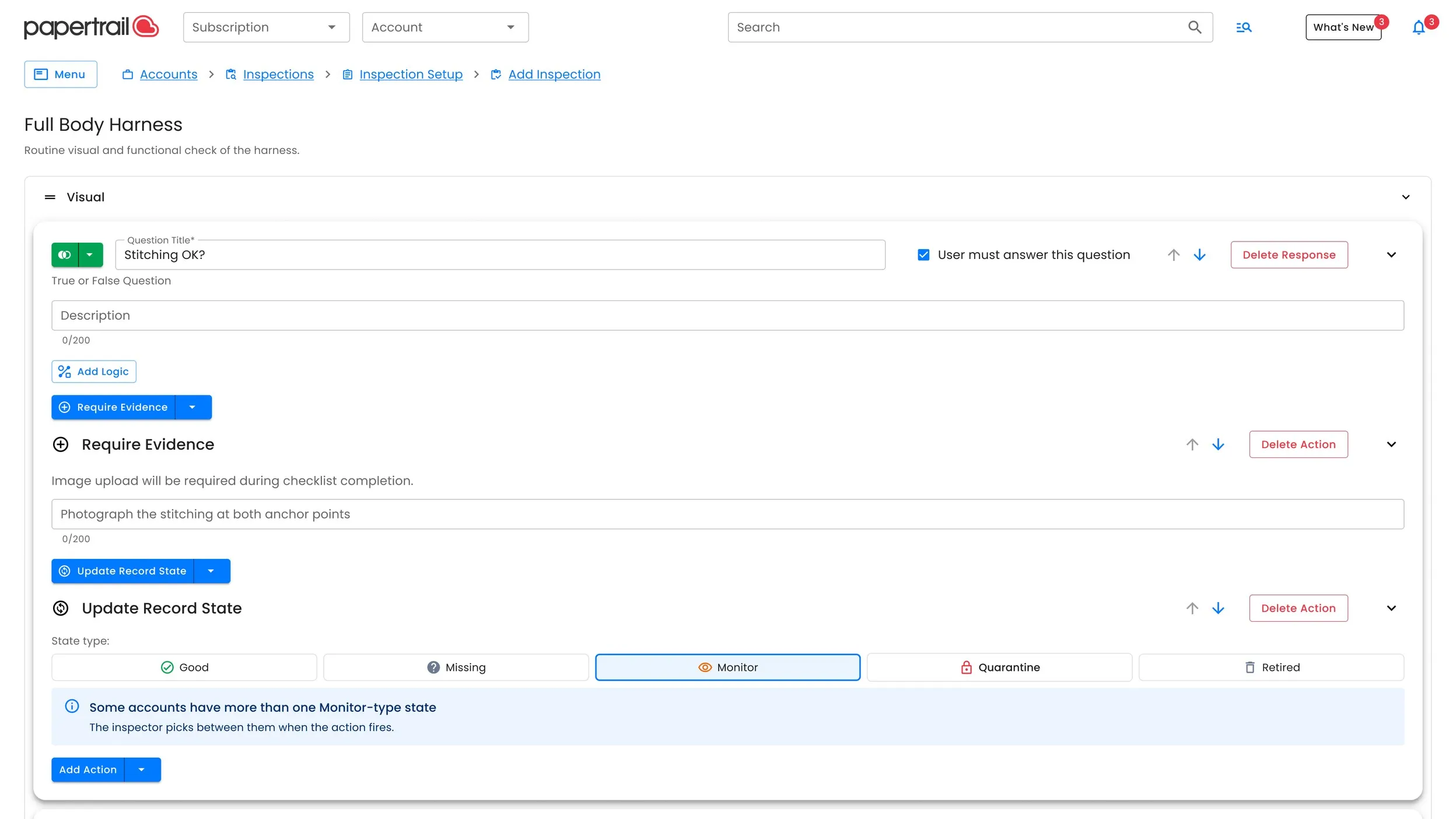
That work set the vocabulary we kept: the kinds of question a checklist can ask, the ways to test an answer, and 6 kinds of action that can follow an answer.
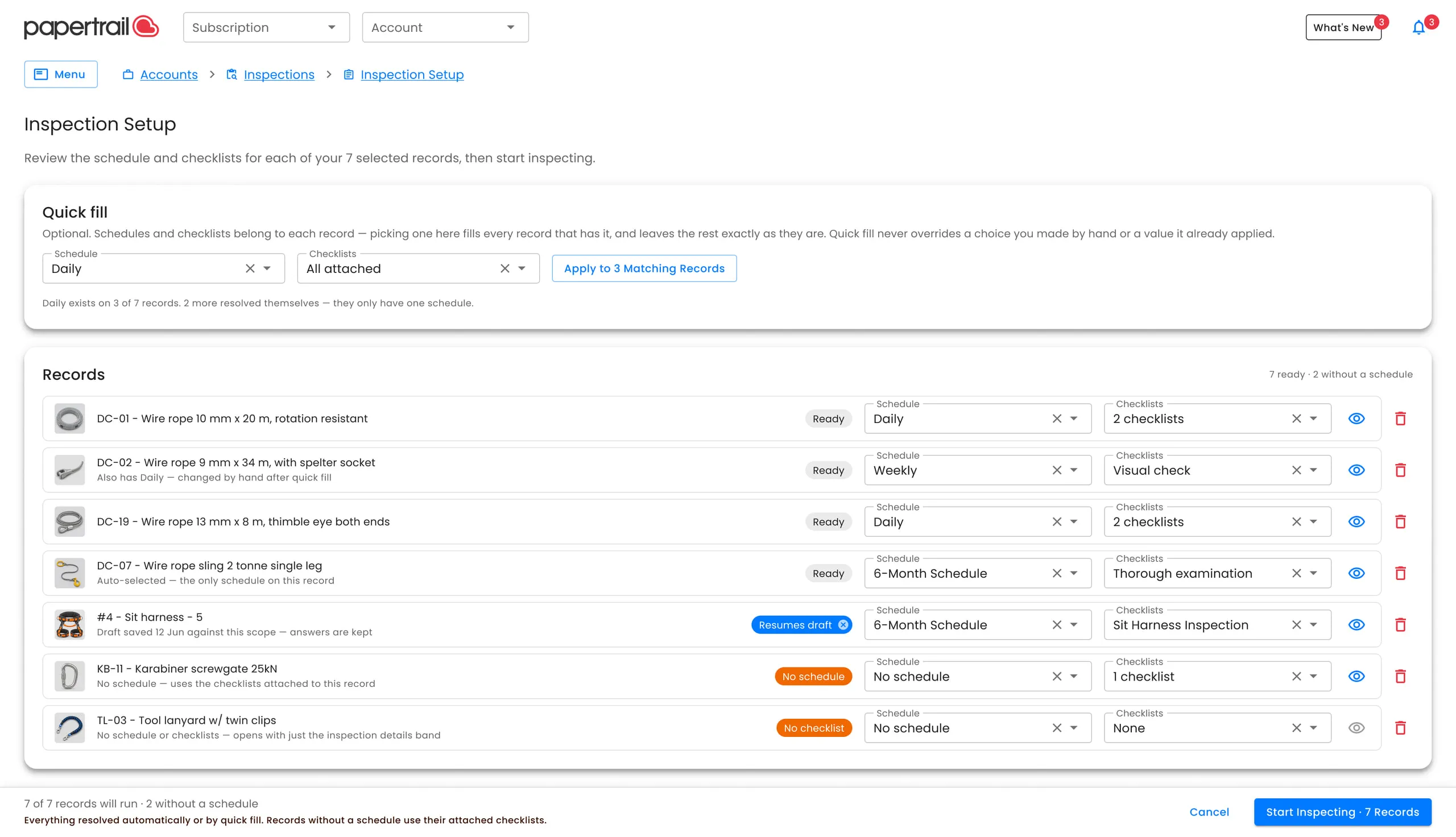
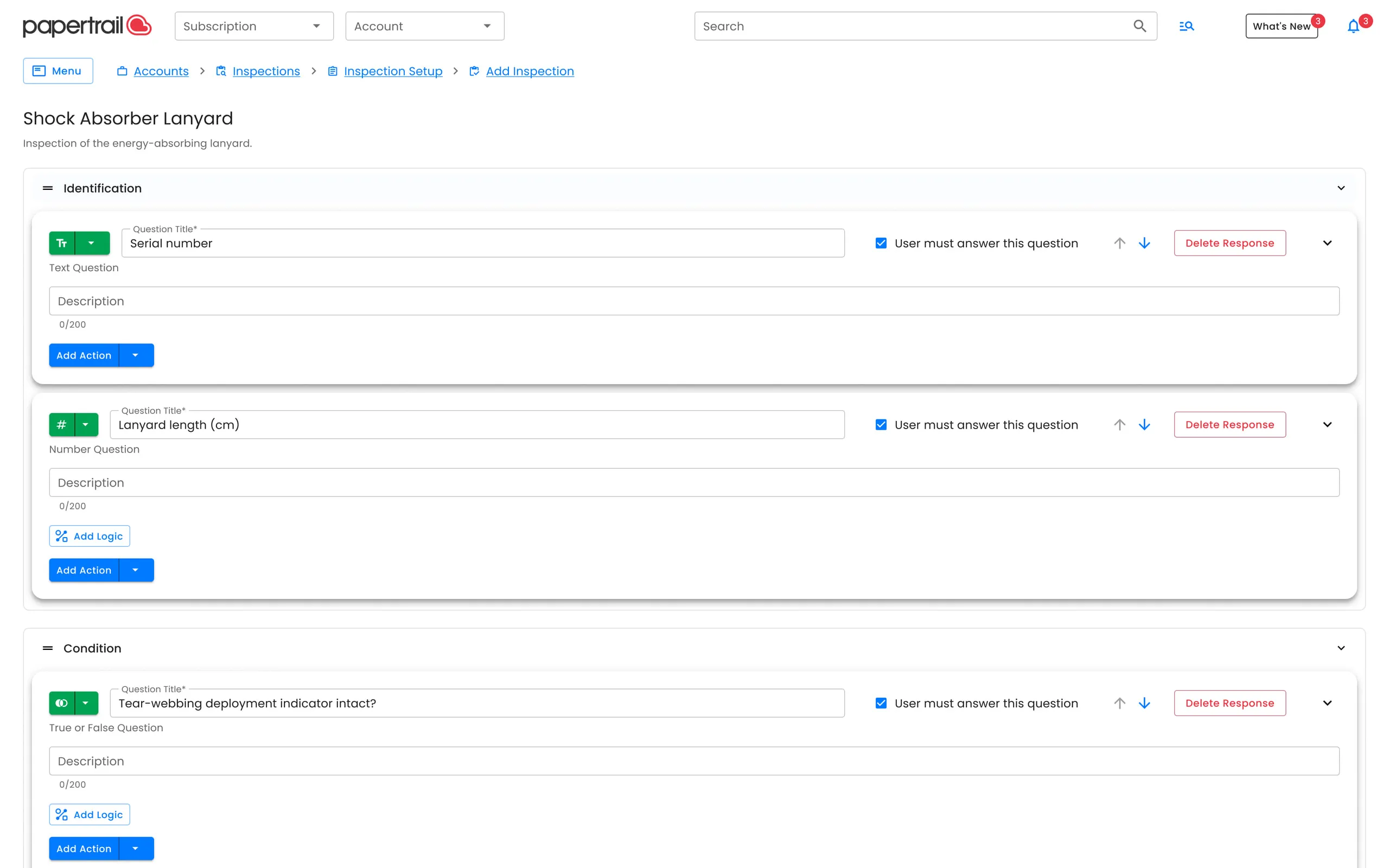
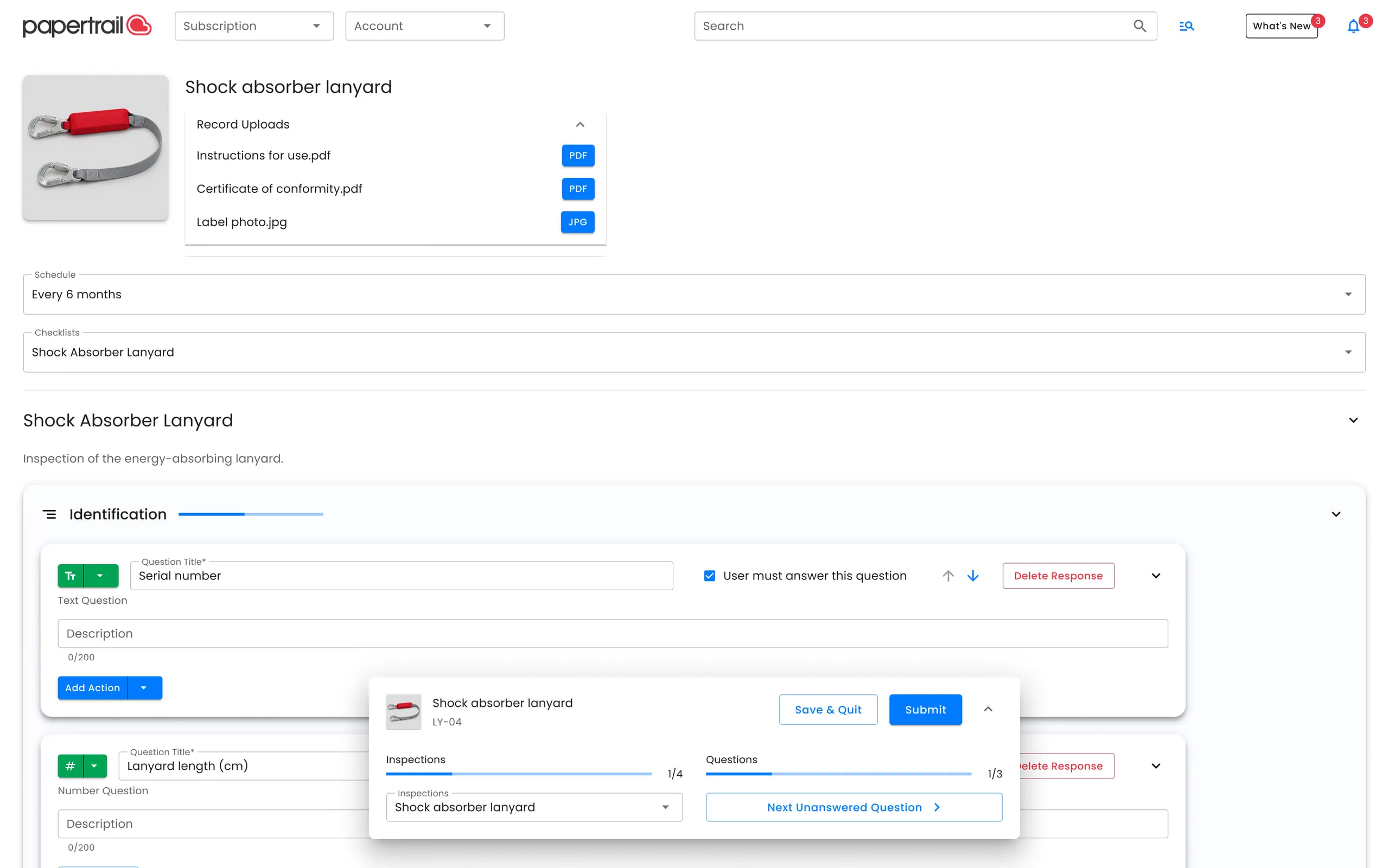
Our engineering team developed the builder as its own application, under strict rules and full test coverage. Its first version reached a release in May 2026 behind a flag, so no customer saw it. In July, I audited the build as it then stood with six annotated screenshots. The logic was there. However, the same Add Action button added both questions and actions. The design tickets that followed separated them, kept the save bar in view, and added a progress footer. The next challenge was the inspector on site. A second design round covered a record header with a progress menu, the answer format each field expects, copying answers from the previous inspection, and applying an answer to many records. Batch inspections followed, with resuming from a draft and inspecting many items in a single sitting. The engineers also capped chains of conditional questions at three generations, counting the first question.
A Spreadsheet Inside a Question
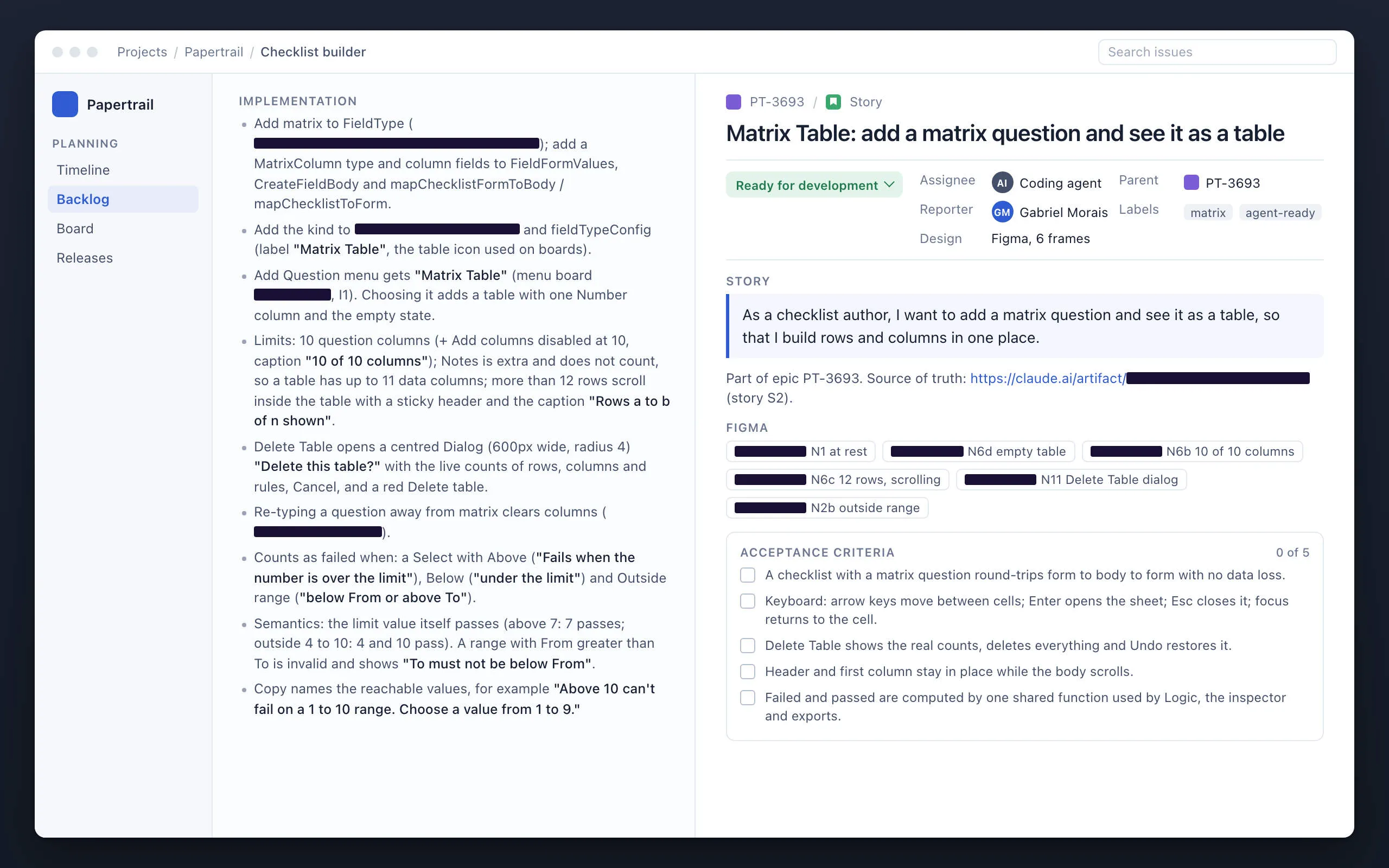
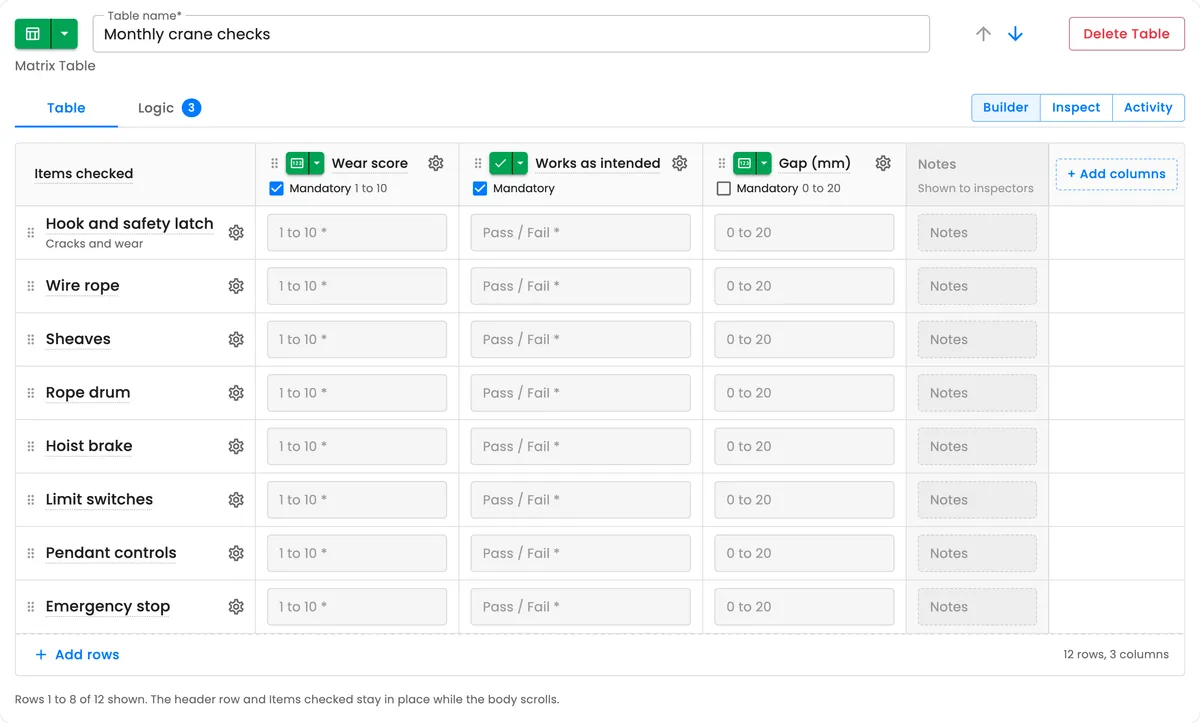
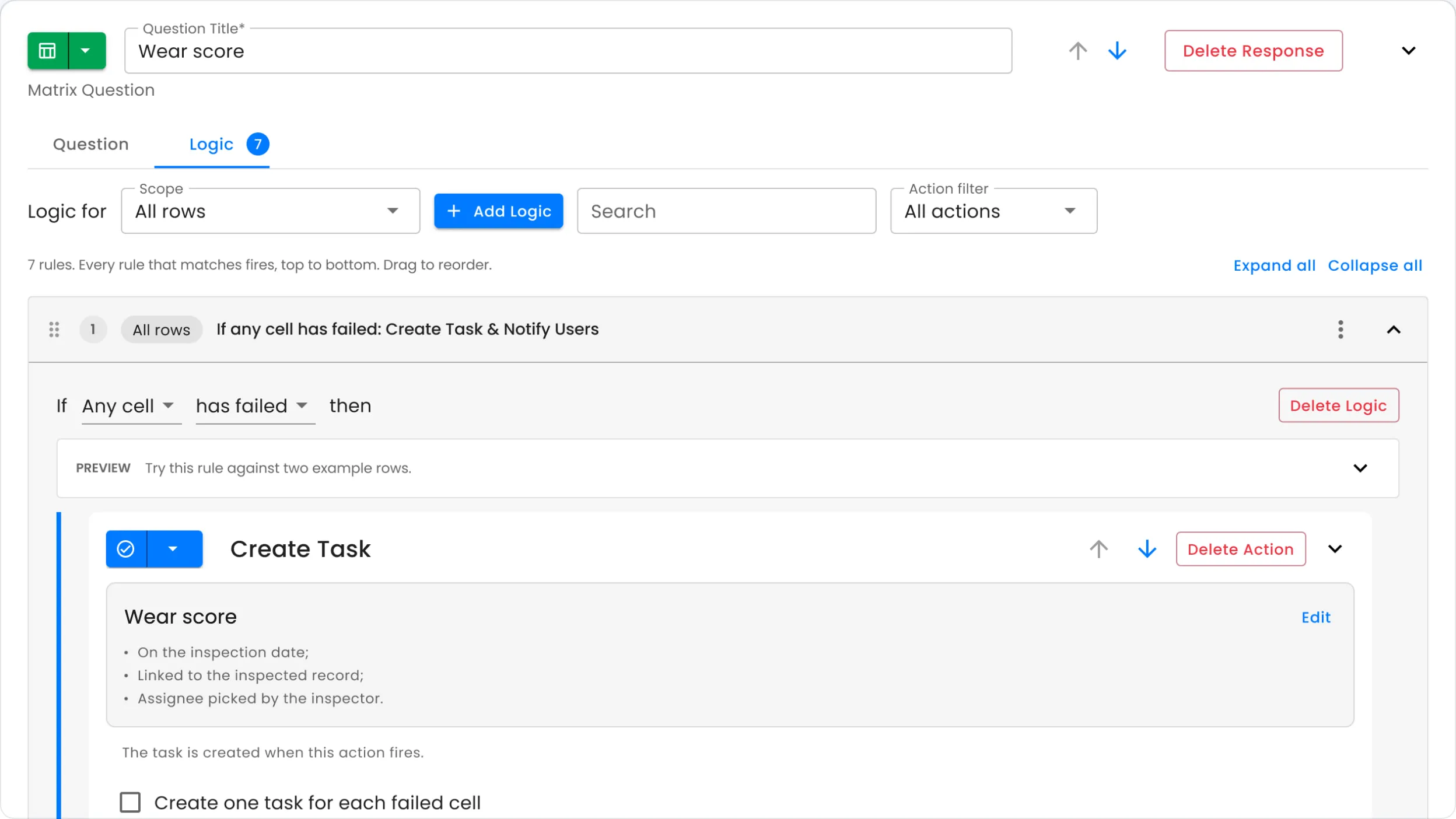
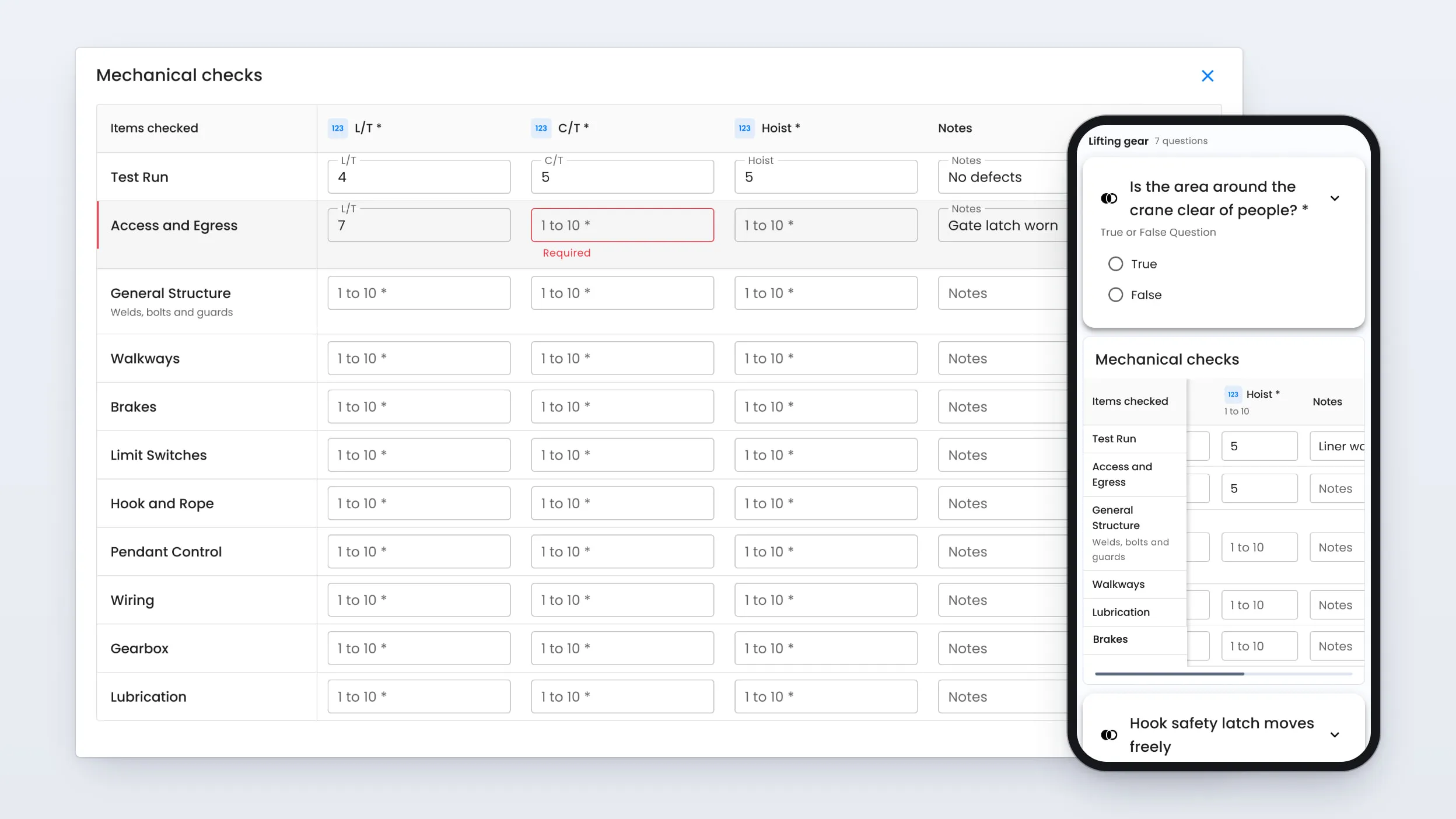
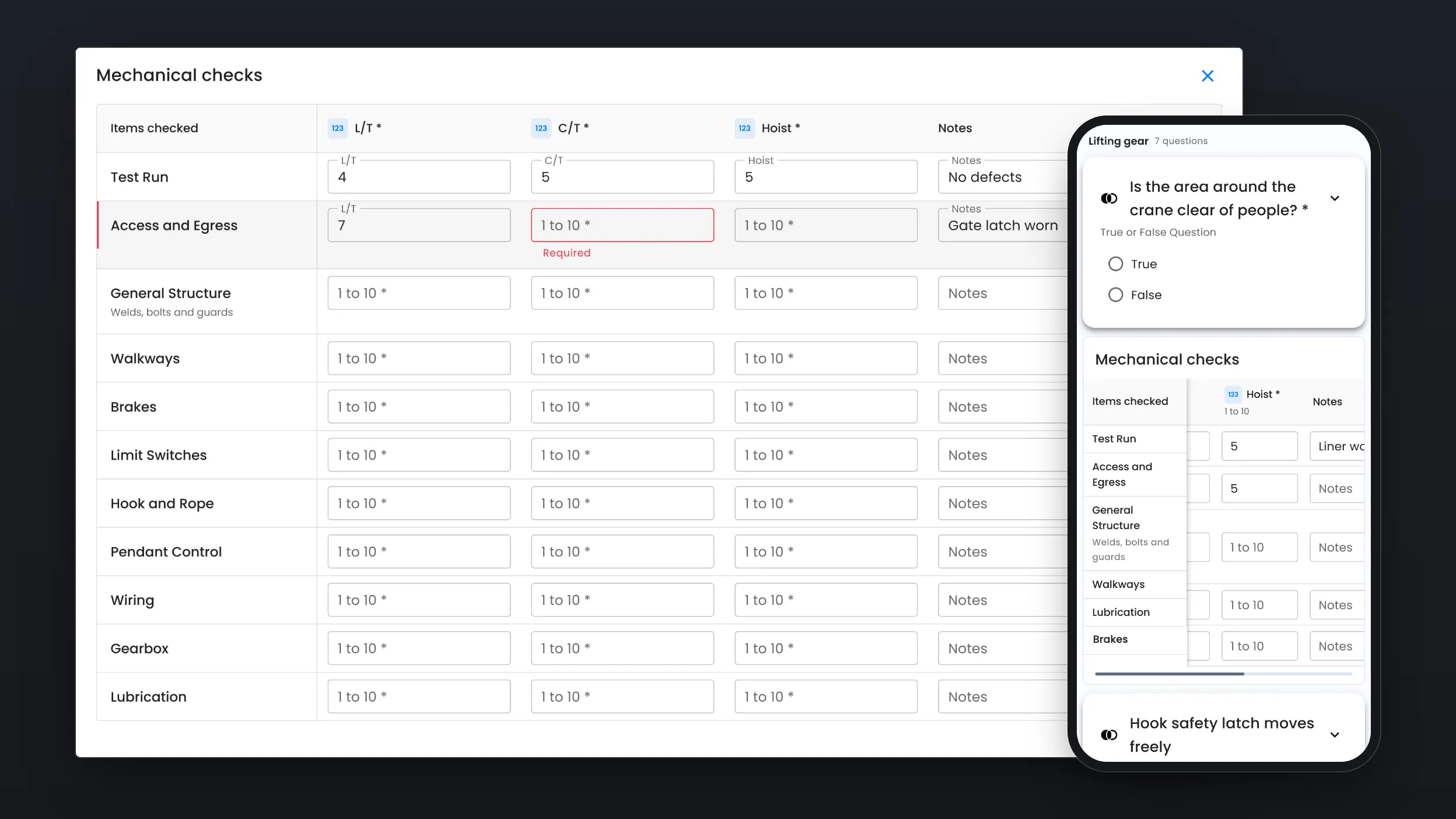
The latest piece is a matrix question: a table of checks that counts as a single question, with rules of its own. The idea was to bring into Papertrail something our customers already did on their own, building spreadsheets and little tables of the items they need to check.
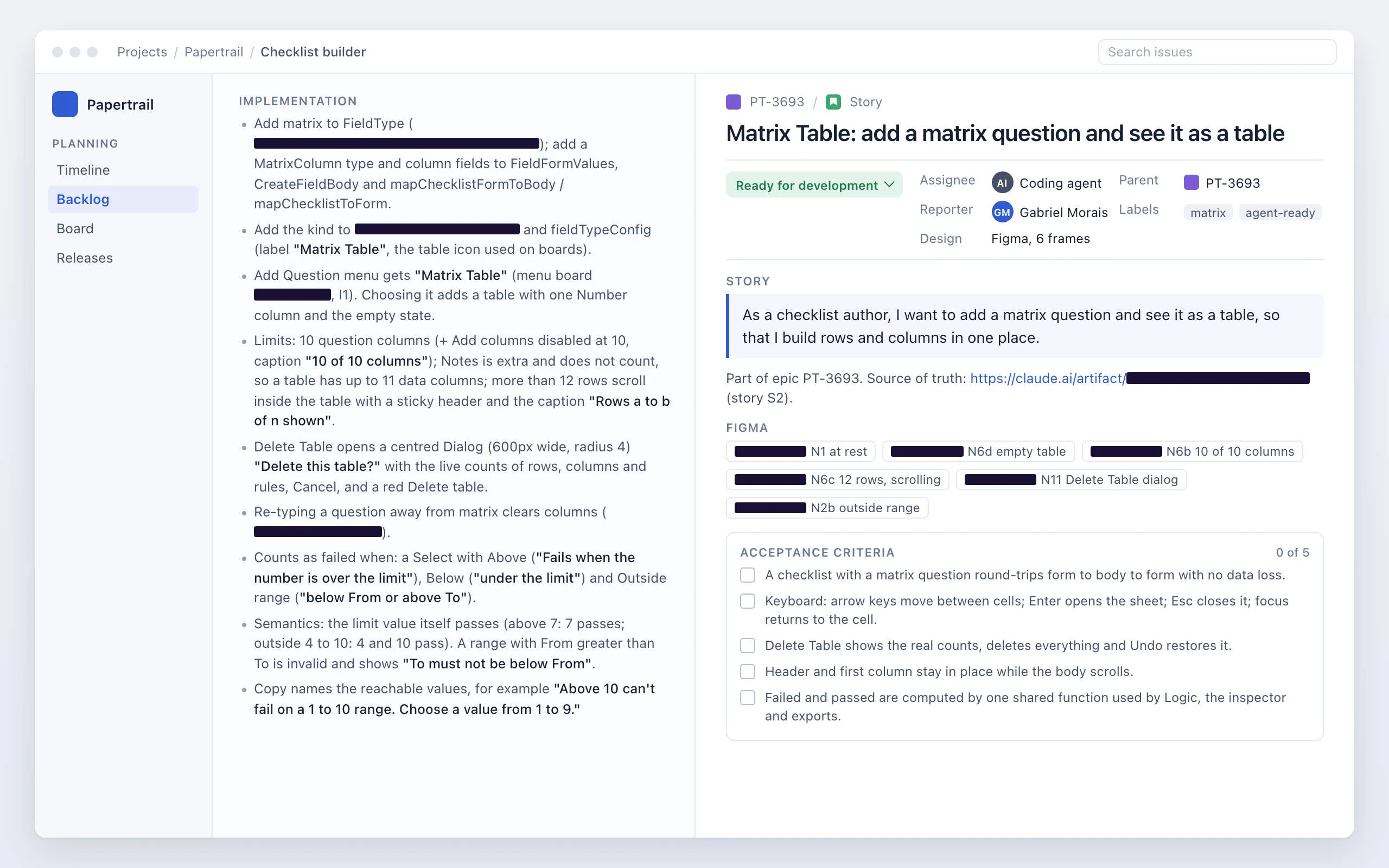
It was also the most challenging question we designed. A table has to stay readable as it grows, so its header and first column hold still while up to 10 columns and long lists of rows scroll under them. Each Number column can set a point past which an answer fails, and the builder refuses a point that could never be reached, naming the values that can. Deleting a table shows how many rows, columns and rules go with it, and one Undo brings them all back. Our engineering team built it from the stories below.
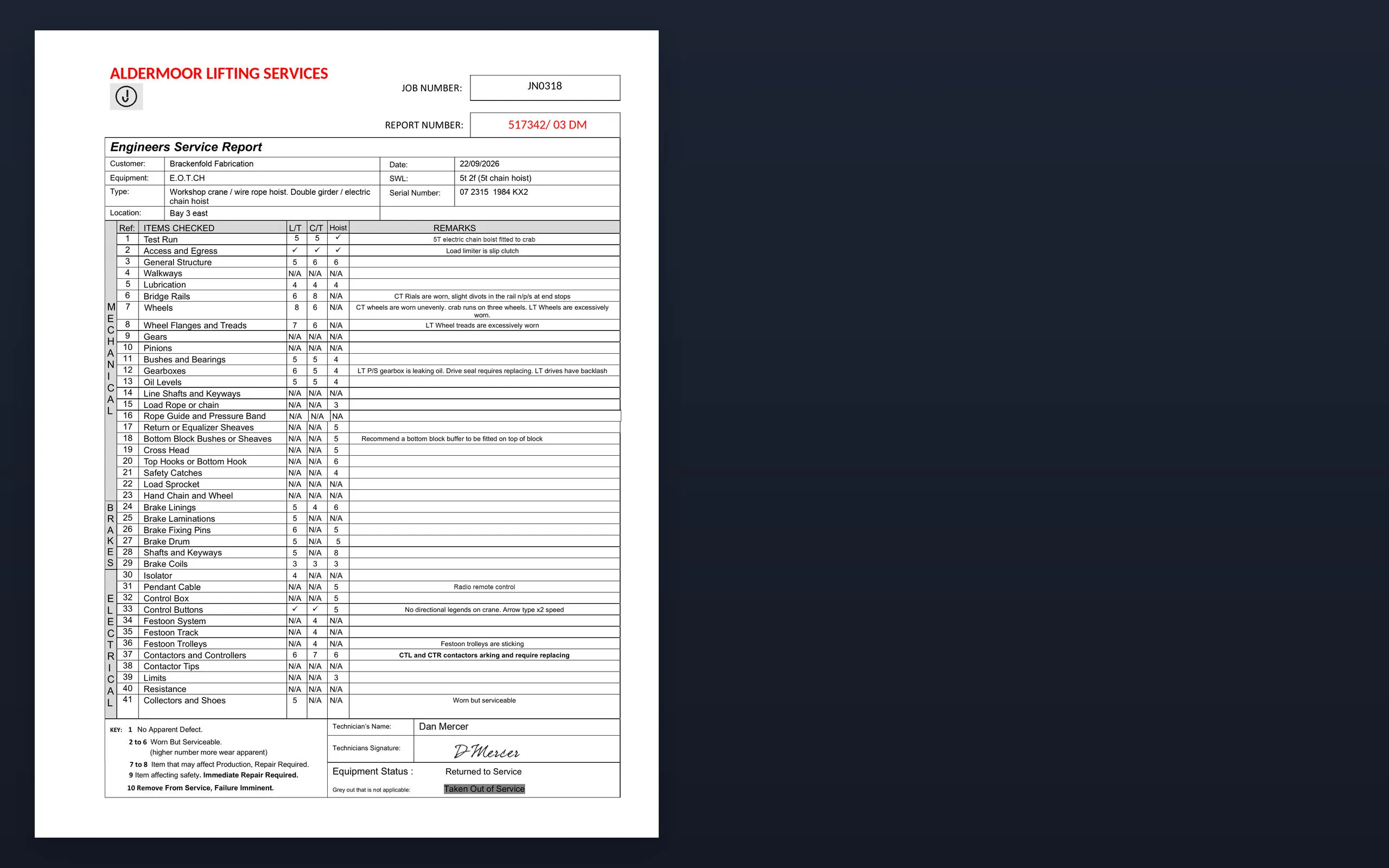
I wrote those stories agent-ready, starting from paper: an engineer's service report for a crane, a page of numbered checks. Each story carries what an agent needs to pick it up and build it, from the user story, its parent epic and the link to the source of truth to the Figma nodes, the files to change, the exact strings on screen, and acceptance criteria that can be tested.
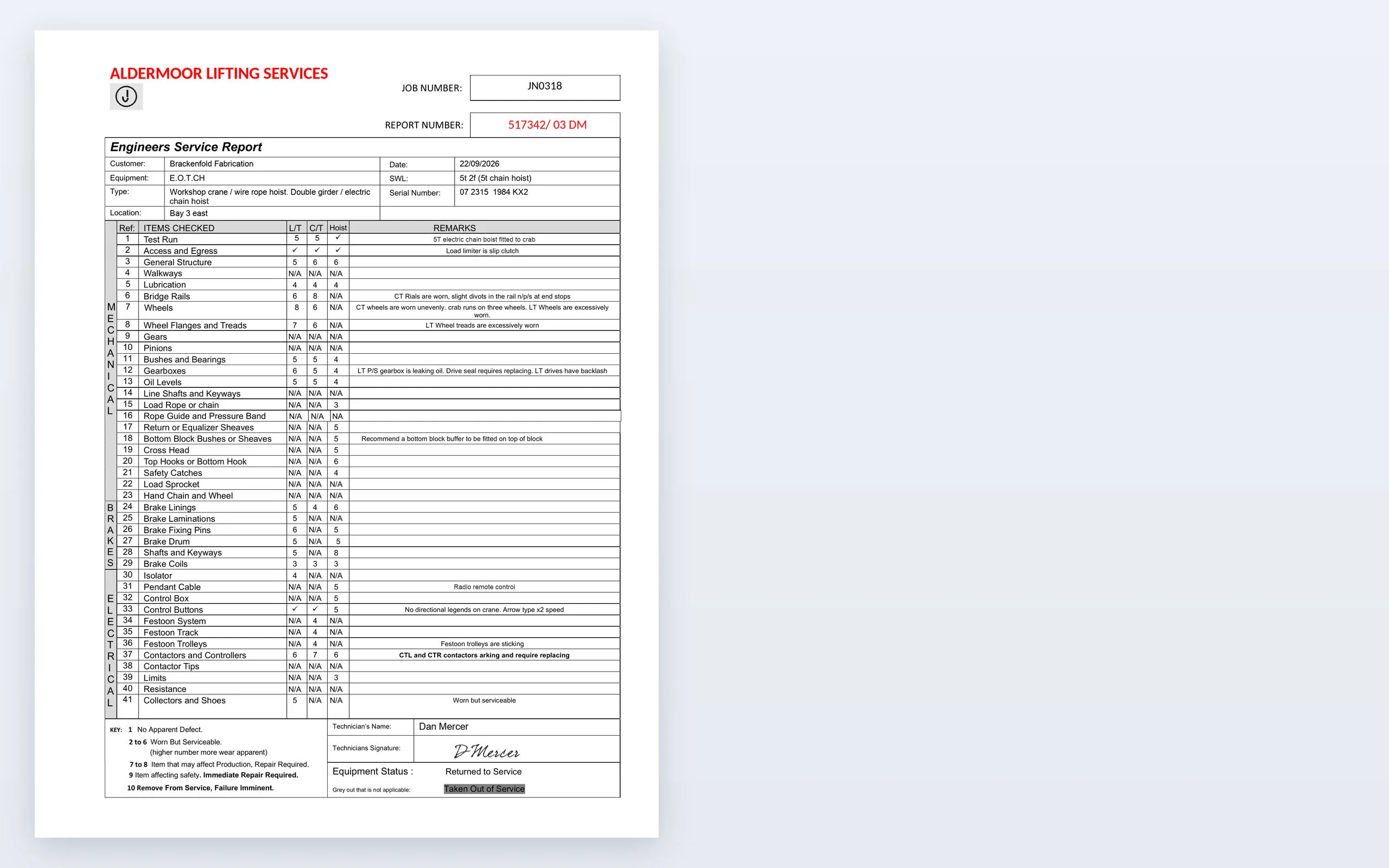
This working copy of the matrix question is set up with a sample of an overhead crane's monthly checks.
The new checklists were presented in a webinar in September 2026, and subscriptions have been switched on for the first customers since, a whole subscription at a time, so no customer works with the old and the new checklists at once.
Below you will find some of our favorite screens from the builder and the inspection flow.
Every picture in the body of this study has a caption, on screen and for screen readers.
Major Achievements
Parity, on paper first: three customers’ templates were rebuilt almost line for line to guarantee parity. The engineering record calls the team’s logic, built from that design, “quite comparable” to the app those customers were using.
A vocabulary people can read: the question menu runs from a date to a table of checks, 6 kinds of action can follow an answer, and chains of conditional questions stop at three generations.
A long build, kept in step: the work ran across 20 epics and 480 tickets, 395 of them delivered by November 2026, and the 13 design tickets were all delivered.